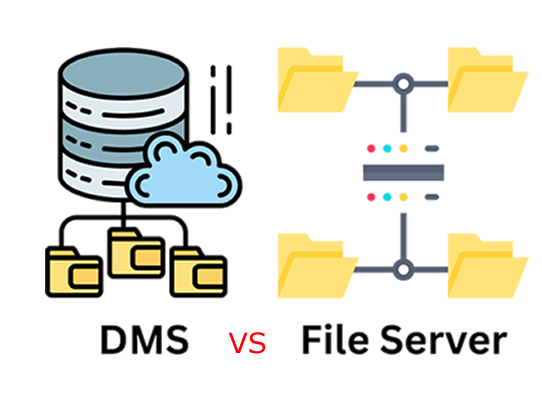
What Is a DMS (Document Management System)?

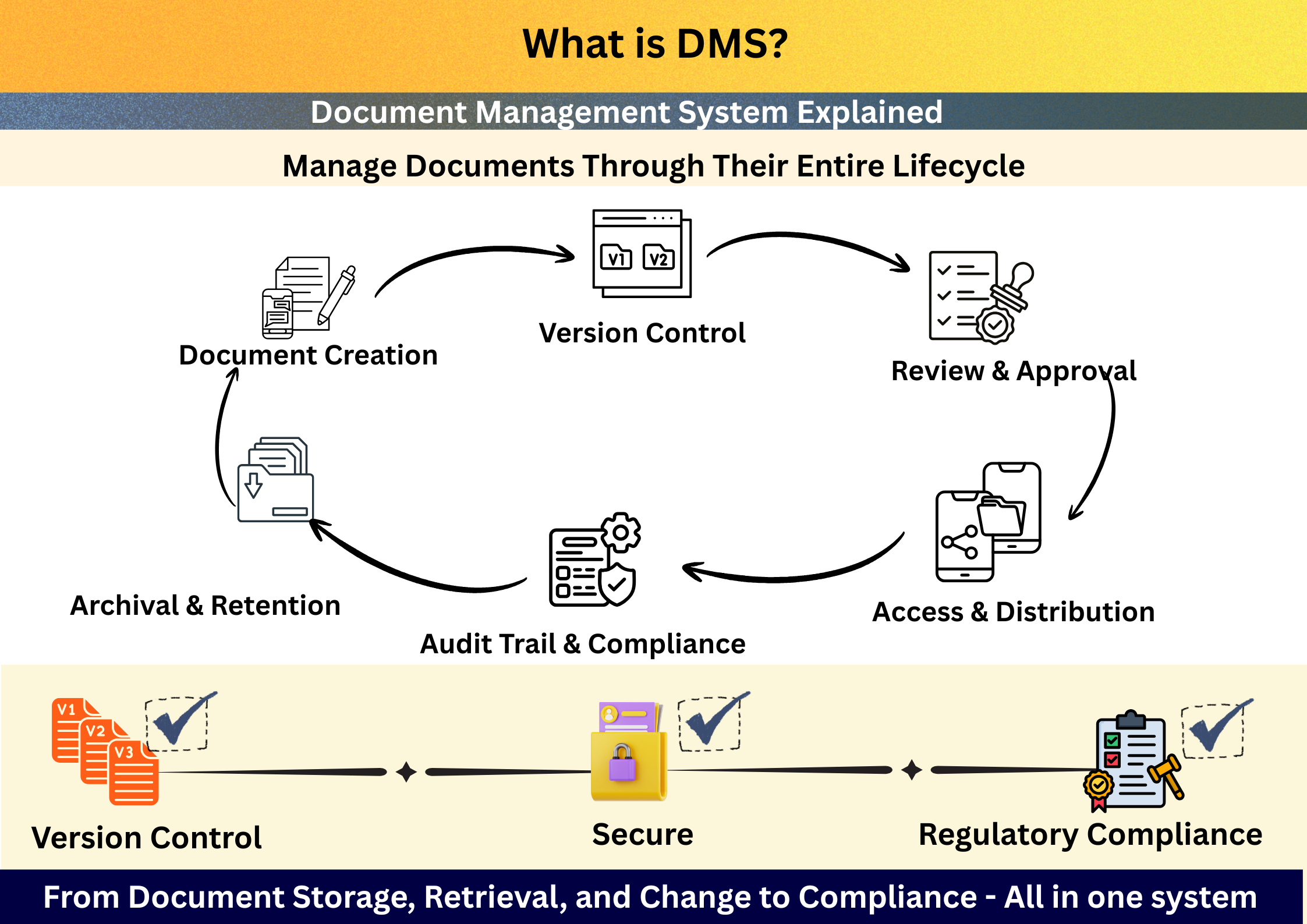
A DMS (Document Management System) is software that enables organizations to create, store, manage, control, track, and secure documents digitally throughout their entire lifecycle.

Unlike simple file storage tools, a true DMS provides:

  • Version Control
  • Approval Workflows
  • Acccess Controls
  • Audit Trails
  • Compliance Readiness

In short, a DMS ensures that the right people access the right document, at the right time, with full traceability.
DMS Meaning in Simple Terms

DMS = Controlled, governed, and auditable document management.

If files are business-critical, regulated, or quality-sensitive, they cannot be managed in shared drives or folders alone. A DMS brings structure, security, and accountability.


How a Document Management System Works

A typical DMS workflow looks like this:

  • 1. Document Creation / Upload
  • 2. Version Control & Storage
  • 3. Review & Approval Workflow
  • 4. Controlled Access & Distribution
  • 5. Audit Trail & Compliance Logging
  • 6. Archival or Obsolescence

This ensures documents move through a controlled lifecycle, not uncontrolled file sharing.

Reduce document errors and approval delays by up to 40%.


What Is a Document Management System Used For?

Organizations use a DMS to manage documents such as:

  • Policies and SOPs
  • Quality manuals and procedures
  • Contracts and legal documents
  • Technical drawings
  • HR and employee records
  • Accounts and financial records
  • Production records and schedules
  • Compliance and audit documentation

A DMS is especially critical in regulated and compliance-driven industries.


Core Capabilities of a Document Management System

Centralized Document Repository

Centralized Document Repository

  • Single source of truth
  • Structured folders and metadata
  • Advanced search and retrieval
Version Control & Change History

Version Control & Change History

  • Automatic versioning
  • Full document history
  • No overwriting or file confusion
Approval Workflows

Document Review & Approval Workflows

  • Multi-level approvals
  • Role-based routing
  • SLA tracking and escalations
Audit Trails & Traceability

Audit Trails & Traceability

  • Who accessed what, when, and why
  • Electronic signatures
  • Tamper-proof logs
Role-Based Access Control

Access Control & Security

  • Role-based permissions
  • Secure document access
  • Protection against unauthorized changes
Advanced Search & Retrieval

Advanced Search & Retrieval

  • Fast Retrieval of Documents
  • Multiple Search Options
  • Metadata and OCR Search

This makes DMS essential for Compliances like:

ISO 9001 | GMP | FDA 21 CFR Part 11 | IATF 16949

DMS vs File Storage : The Critical Difference


File Storage Document Management System
Stores files Manages document lifecycle
No approval control Built-in workflows
Limited traceability Full audit trails
High compliance risk Compliance-ready
Folder-based Policy & process-driven
No Version Control Automated Version Control
Limited Search Options Advanced Search Options For fast retrieval
Limited secure file sharing options Secure rule-driven file sharing

Hence, Google Drive or shared folders ≠ DMS

DMS vs File Storage

Who Needs a Document Management System?

A DMS is essential for:

  • Manufacturing companies (ISO, IATF)
  • Pharmaceutical & healthcare organizations (GMP, FDA)
  • Engineering & EPC firms (drawings, revisions)
  • Enterprises managing compliance-heavy documentation
  • Financial companies (SOX, FINRA)
  • Any organization scaling beyond shared drives

Why DMS Is Critical for ISO, GMP & Regulated Environments

In regulated environments:

  • Documents must be approved
  • Changes must be tracked
  • Obsolete versions must be controlled
  • Auditors demand proof

A DMS ensures compliance by design, not compliance by manual effort.

Benefits of Using a Document Management System

Operational Benefits

Operational Benefits

  • Faster document retrieval
  • Reduced duplication
  • Improved collaboration
Governance & Compliance

Governance & Compliance

  • Standardized document control
  • Controlled approvals
  • Audit-ready documentation
Risk Reduction

Risk Reduction

  • Prevents outdated document usage
  • Eliminates unauthorized edits
  • Protects sensitive information

Why LuitBiz DMS is Different?

Unlike generic document tools, LuitBiz DMS is built for compliance-first document control, not just file storage.

Key Differentiators:

  • Integrated DMS + BPM + QMS
  • Configurable approval workflows with electronic signatures
  • Role-based access & security
  • Completely customizable depending on customer's requirements
  • Works across all devices (computer/mobile) without any downloads
  • Scales from SMB to enterprise

See LuitBiz DMS in Action

Secure. Compliant. Built for growth

Frequently Asked Questions

What is a DMS?

A DMS is a Document Management System that helps organizations securely manage, control, and track documents throughout their lifecycle.

What is the difference between DMS and document storage?

Document storage only saves files, while a DMS provides version control, approvals, audit trails, and compliance features.

Is DMS required for ISO 9001?

Yes. ISO 9001 requires controlled documents, versioning, approvals, and traceability — all core functions of a DMS.

Can LuitBiz DMS integrate with QMS and BPM?

Yes. LuitBiz DMS integrates seamlessly with QMS and BPM to enable end-to-end governance and compliance workflows.

Is LuitBiz DMS suitable for enterprises?

Yes. LuitBiz DMS is designed for scalability, security, and regulatory compliance.